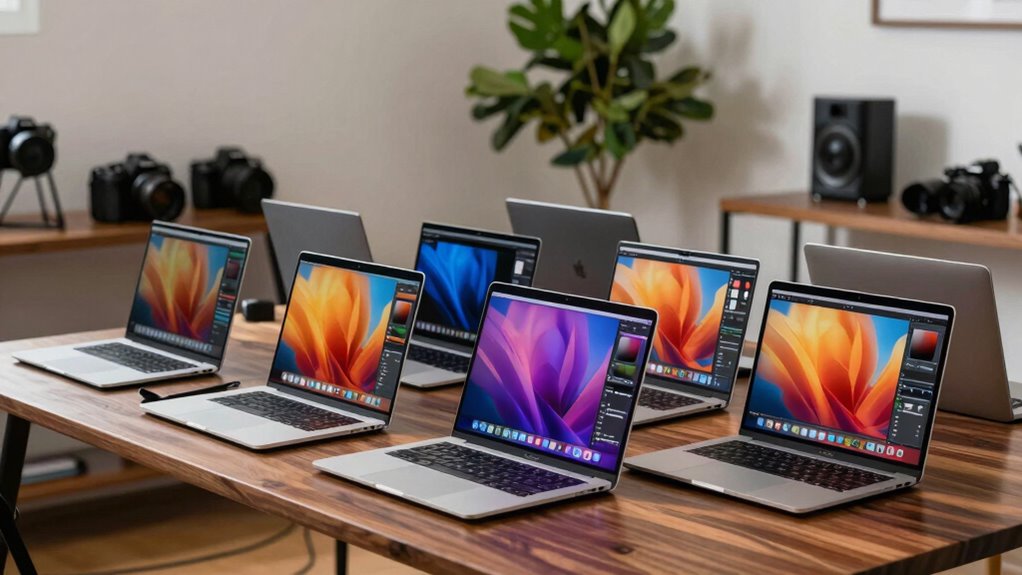

Choosing a MacBook Pro for photographers and Lightroom comes down to the size of your catalog, editing workload, and how much you value portability over memory headroom. I rank the 16-inch M5 Pro first for its 48GB of unified memory and roomy XDR screen, the 14-inch M5 as the balanced pick with a 1TB SSD, and the renewed 14-inch M1 Pro as the lower-spec option for lighter editing and buyers comfortable with a used device.

Get beauty and skincare favorites delivered free with Prime
- Fast, free delivery on millions of items
- Prime Video, Amazon Music and more included
- Member-only deals all year
The key tradeoff is straightforward: the M5 Pro offers the most capacity for large Lightroom sessions, but it is also the largest model here; the M5 is easier to carry but has 16GB of memory; and the older renewed M1 Pro has a capable display and useful ports, though its age, smaller SSD, and condition uncertainty call for care. I focus on how those differences affect importing, editing, viewing, and storing photo work rather than treating chip names as a ranking by themselves.
Complete the kit



Key Takeaways
- Best for demanding Lightroom work: The 16-inch M5 Pro pairs 48GB of memory with a large XDR display, giving bigger catalogs and layered workflows the most headroom in this lineup.
- Best balance for mobile editing: The 14-inch M5 has a 1TB SSD and a bright XDR screen in a smaller chassis, but its 16GB memory is a limit for especially heavy multitasking.
- Best for a limited workload: The renewed 2021 M1 Pro has a 14-inch XDR display and 512GB SSD; its older platform and renewed condition are meaningful tradeoffs.
- All three offer direct camera-card access: Each includes an SDXC slot, so photographers can import from compatible cards without relying on a separate reader.
- Choose by workflow, not screen size alone: The 16-inch model prioritizes viewing area and memory; the two 14-inch options are easier to carry, with the M5 offering newer hardware and the M1 Pro a more modest configuration.
| Apple MacBook Pro 16.2-inch with M5 Pro, 18-core CPU, 20-core GPU, 48GB Memory, and 1TB SSD |  | Best Overall for Demanding Lightroom Work | Chip: Apple M5 Pro | CPU / GPU: 18-core CPU / 20-core GPU | Display: 16.2-inch Liquid Retina XDR | VIEW ON AMAZON | See Our Full Breakdown |
| Apple 14.2-inch MacBook Pro with M5, 16GB Memory, 1TB SSD, Space Black |  | Best Balance of Portability and Storage | Chip: Apple M5 | CPU / GPU: 10-core CPU / 10-core GPU | Display: 14.2-inch Liquid Retina XDR, up to 1600 nits peak brightness | VIEW ON AMAZON | See Our Full Breakdown |
| Apple MacBook Pro 14-inch (2021), M1 Pro, 16GB RAM, 512GB SSD, Space Gray (Renewed) |  | Best for Lighter Editing on a Renewed Mac | Model year: 2021, renewed | Chip: Apple M1 Pro, 8-core CPU | Graphics: 14-core integrated GPU | VIEW ON AMAZON | See Our Full Breakdown |
| macbook pro for photographers and lightroom | Chip | Display | Memory | Storage |
|---|---|---|---|---|
| Apple MacBook Pro 16.2-inch wi | Apple M5 Pro | 16.2-inch Liquid Retina XDR | 48GB unified memory | 1TB SSD |
| Apple 14.2-inch MacBook Pro wi | Apple M5 | 14.2-inch Liquid Retina XDR, up to 1600 nits peak brightness | 16GB unified memory | 1TB SSD |
| Apple MacBook Pro 14-inch | Apple M1 Pro, 8-core CPU | 14-inch Liquid Retina XDR, 3024 x 1964 pixels | 16GB unified memory | 512GB SSD |
More Details on Our Top Picks
Apple MacBook Pro 16.2-inch with M5 Pro, 18-core CPU, 20-core GPU, 48GB Memory, and 1TB SSD
This is my first choice for a photographer who wants one MacBook Pro to handle large Lightroom sessions, concurrent creative apps, and detailed image review. The standout is not only the M5 Pro chip; it is the combination of that processor with 48GB unified memory. That gives this configuration more room than either 14-inch option when a large catalog, multiple high-resolution images, and other applications are open at once.
The 16.2-inch Liquid Retina XDR display also gives more working space than the 14.2-inch M5 and the 14-inch renewed M1 Pro. That can make it easier to keep an image visible while adjusting Lightroom panels or comparing edits. Its SDXC slot, HDMI, and three Thunderbolt 5 ports suit a camera-to-editing workflow without making a hub mandatory for basic card imports and common desk connections.
The tradeoff is portability. At 4.71 pounds, it is heavier than either 14-inch model, so photographers who spend long days moving between locations may prefer the smaller M5. Its 1TB SSD is useful, but it does not make a separate archive unnecessary for a growing RAW library. I would choose this model over the 14-inch M5 when memory capacity and display area take priority; I would skip it if those advantages do not justify carrying a larger machine.
Pros:- 48GB unified memory offers the most headroom in this comparison for demanding multitasking.
- 16.2-inch Liquid Retina XDR display provides the largest built-in editing workspace here.
- SDXC, HDMI, MagSafe 3, and three Thunderbolt 5 ports suit camera and external-display setups.
- 1TB SSD provides more internal working space than the renewed M1 Pro configuration.
Cons:- At 4.71 pounds, it is the least convenient choice for frequent travel.
- The 1TB SSD may still be insufficient as the sole home for a growing RAW archive.
- Its larger screen and memory capacity may be unnecessary for basic edits and small catalogs.
Best for: Photographers managing large Lightroom catalogs, editing high-resolution files while multitasking, or wanting a spacious built-in display and substantial memory headroom.
Not ideal for: Travel-first photographers who prioritize a lighter laptop, or buyers whose Lightroom work is modest enough that 48GB memory and a 16.2-inch screen offer little practical benefit.
- Chip:Apple M5 Pro
- CPU / GPU:18-core CPU / 20-core GPU
- Display:16.2-inch Liquid Retina XDR
- Memory:48GB unified memory
- Storage:1TB SSD
- Ports:Three Thunderbolt 5, MagSafe 3, SDXC, HDMI, headphone jack
- Wireless:Wi-Fi 7, Bluetooth 6
- Weight:4.71 pounds
Our verdict“I recommend the 16-inch M5 Pro when Lightroom headroom and a large built-in screen matter more than carrying weight.”
Apple 14.2-inch MacBook Pro with M5, 16GB Memory, 1TB SSD, Space Black
The 14-inch M5 is my pick for photographers who want a current, compact MacBook Pro without stepping up to the 16-inch M5 Pro. Its 14.2-inch Liquid Retina XDR display keeps image work on a high-quality built-in screen, while the smaller chassis is easier to pack than the 16-inch model. The 1TB SSD is another practical advantage over the renewed M1 Pro’s 512GB drive, leaving more room for active catalogs, previews, and exports before external storage becomes pressing.
Compared with the M5 Pro, this model has 16GB unified memory rather than 48GB. That makes it a sensible choice for editing individual shoots and everyday multitasking, but less appealing for a photographer who regularly keeps heavy creative workloads open together. The 10-core CPU and 10-core GPU identify it as a different performance tier from the M5 Pro configuration; I would not choose it just because both carry an M5 name.
For card imports and a desk setup, three Thunderbolt 4 ports, MagSafe 3, SDXC, HDMI, and a headphone jack cover a useful range of connections. The main compromise is capacity for intensive work: the screen is smaller than the 16-inch model, and memory is lower. Still, it is the better fit than the renewed M1 Pro for someone who wants newer M5 hardware and twice the listed SSD capacity while keeping weight to 3.41 pounds.
Pros:- 14.2-inch Liquid Retina XDR display balances image workspace with portability.
- 1TB SSD offers more internal storage than the renewed M1 Pro’s 512GB configuration.
- SDXC, HDMI, MagSafe 3, and three Thunderbolt 4 ports support common photography setups.
- 3.41-pound weight is easier to carry than the 16-inch M5 Pro.
Cons:- 16GB unified memory provides less headroom than the M5 Pro’s 48GB.
- The 14.2-inch display has less editing space than the 16.2-inch model.
- A 1TB internal drive can still fill quickly with RAW images and Lightroom previews.
Best for: Photographers who edit on the move, work with moderate Lightroom catalogs, and want a 1TB internal drive in a smaller MacBook Pro.
Not ideal for: People routinely handling very large catalogs or demanding multitasking who would benefit from the M5 Pro’s 48GB memory, or buyers needing the largest possible built-in workspace.
- Chip:Apple M5
- CPU / GPU:10-core CPU / 10-core GPU
- Display:14.2-inch Liquid Retina XDR, up to 1600 nits peak brightness
- Memory:16GB unified memory
- Storage:1TB SSD
- Ports:Three Thunderbolt 4, MagSafe 3, SDXC, HDMI, headphone jack
- Camera:12MP Center Stage
- Weight:3.41 pounds
Our verdict“I would choose this 14-inch M5 for portable Lightroom work when 1TB of storage and newer hardware matter more than extra memory.”
Apple MacBook Pro 14-inch (2021), M1 Pro, 16GB RAM, 512GB SSD, Space Gray (Renewed)
This renewed 14-inch MacBook Pro makes sense for a photographer whose Lightroom sessions are straightforward and who is comfortable buying a previously used device. It retains a 14-inch Liquid Retina XDR display, an SDXC slot, HDMI, and a 1080p FaceTime HD camera. Those details make it more useful as an editing laptop than a bare-bones portable computer, particularly for importing cards and connecting to a display or other gear without depending entirely on adapters.
Against the 14-inch M5, the M1 Pro is the older option with 16GB memory and a 512GB SSD, compared with the M5’s 16GB and 1TB. That smaller drive is a clear drawback for active photo libraries. The M1 Pro includes a 14-core GPU and dedicated ProRes media acceleration, but I would not treat that as a reason to put it ahead of newer hardware for every Lightroom workflow. Its case here is a capable screen and useful connectivity for lighter editing, not the most future-facing configuration.
The other compromise is the renewed condition. A renewed device may show evidence of prior use, and buyers should review the specific seller’s condition details and applicable return terms before committing. Its 1.6kg listed weight is close to the newer compact model’s portability class, but the M5 offers more internal storage and a newer chip. I would choose this M1 Pro only when its configuration and renewed status fit the buyer’s needs; for large catalogs, I would step up to the M5 Pro’s 48GB memory.
Pros:- 14-inch Liquid Retina XDR display offers a detailed built-in workspace.
- SDXC and HDMI provide useful connections for card imports and external displays.
- M1 Pro includes a 14-core GPU and dedicated ProRes media acceleration.
- Six-speaker sound system and 1080p camera add utility beyond photo editing.
Cons:- Renewed condition means the unit may show prior use; condition details need checking.
- 512GB SSD is the smallest internal drive in this comparison.
- Its 2021 M1 Pro platform is older than the M5 and M5 Pro options.
Best for: Photographers with modest catalogs and editing needs who want an XDR-screen MacBook Pro with an SDXC slot and are comfortable with renewed condition.
Not ideal for: Buyers who want a new device, need more than 512GB of internal working storage, or routinely handle large catalogs and intensive multitasking.
- Model year:2021, renewed
- Chip:Apple M1 Pro, 8-core CPU
- Graphics:14-core integrated GPU
- Display:14-inch Liquid Retina XDR, 3024 x 1964 pixels
- Memory:16GB unified memory
- Storage:512GB SSD
- Connectivity:HDMI, Wi-Fi, Bluetooth; SDXC slot listed in product description
- Weight:1.6kg
Our verdict“I’d reserve the renewed M1 Pro for lighter Lightroom work when its older platform and 512GB drive are acceptable.”

How We Picked
I ranked these three MacBook Pro configurations around the parts of photography work that most affect day-to-day Lightroom use: memory capacity, display size and quality, internal storage, portability, and connectivity. Memory matters when Lightroom, a browser, cloud-sync tools, and other creative apps are open together. A larger display can make image review and panel work more comfortable, while an SDXC slot and HDMI can reduce the number of adapters needed at a desk or on location.
I gave the 16-inch M5 Pro the lead because its 48GB unified memory and 16.2-inch XDR screen make it the strongest fit for demanding sessions among these exact configurations. The 14-inch M5 follows for photographers who want a newer chip and 1TB SSD in a more portable format. The renewed M1 Pro ranks third, not because its XDR display or port selection is irrelevant, but because it has the oldest platform, 16GB memory, 512GB storage, and the extra uncertainty that comes with renewed condition.
I did not treat advertised battery life or peak brightness as guarantees of a particular editing runtime or viewing experience. Lightroom performance can vary with catalog size, file type, edits, software version, and connected devices. I also separate built-in storage from photo archive capacity: even 1TB can fill quickly with RAW files, previews, and exports, so external or cloud storage may still be part of a photographer’s setup.
| macbook pro for photographers and lightroom | Chip | Ports |
|---|---|---|
| Apple MacBook Pro 16.2-inch wi | Apple M5 Pro | Three Thunderbolt 5, MagSafe 3, SDXC, HDMI, headphone jack |
| Apple 14.2-inch MacBook Pro wi | Apple M5 | Three Thunderbolt 4, MagSafe 3, SDXC, HDMI, headphone jack |
| Apple MacBook Pro 14-inch | Apple M1 Pro, 8-core CPU | — |
Factors to Consider When Choosing Macbook Pro For Photographers And Lightroom
I’d match the MacBook Pro to the scale of the Lightroom workload rather than assume every photographer needs the highest-tier chip. These three configurations separate most clearly by memory, built-in storage, screen size, and purchase condition.Memory matters when Lightroom is only one part of the session
The largest memory gap is between the M5 Pro’s 48GB and the 16GB in both 14-inch models. If Lightroom is open alongside a browser, file-management tools, and other creative software, extra memory can provide more room for that combined workload. For a smaller catalog and focused editing sessions, 16GB may be a reasonable fit, but it gives less headroom for heavier multitasking. I’d pick the M5 Pro when large projects and several open applications describe a normal workday, not simply because the number is larger.
Choose the screen around where you edit
The 16.2-inch XDR display on the M5 Pro offers the most built-in space for an image and Lightroom’s controls. The two 14-inch models are more convenient to carry and still offer Liquid Retina XDR displays. If most editing happens at a permanent desk with an external monitor, the smaller screen may be an easier compromise. If the laptop itself is your main editing display, the larger M5 Pro has a practical advantage. Screen specifications alone do not replace a calibrated workflow when consistent color is a priority.
Treat SSD capacity as working space, not an entire archive plan
The two M5 configurations include 1TB SSDs, while the renewed M1 Pro includes 512GB. More internal storage gives active catalogs, current shoots, previews, and exports more breathing room, but RAW libraries can grow beyond any of these drives. I’d plan for external or cloud storage if a long-term photo archive needs to stay accessible. The M5 is a notable step up from the renewed M1 Pro on listed capacity, while the M5 Pro combines 1TB with substantially more memory.
Check ports against your camera and desk setup
All three product descriptions list an SDXC card slot, which can simplify importing from compatible camera cards. The M5 Pro adds Thunderbolt 5, while the 14-inch M5 lists Thunderbolt 4; both include HDMI and MagSafe 3. The renewed M1 Pro also has HDMI and multiple connectivity options, though its listed details are less specific about every port. If your setup relies on several fast external drives or displays, compare the exact port configuration with your accessories before choosing. A port’s presence does not by itself specify transfer performance for every attached device.
A renewed laptop calls for an extra condition check
The M1 Pro is the only renewed model in this set. Its XDR display and port selection remain relevant for photography, but the unit may have prior use, and the listed configuration has less storage than either M5 model. I’d read the seller’s condition description and return details closely before purchase. For buyers who prefer a new configuration and want a longer runway with newer hardware, the M5 is the clearer compact choice; the M1 Pro makes more sense when its renewed status is acceptable and the workload stays moderate.
Frequently Asked Questions
Which MacBook Pro here is best for Lightroom?
I’d choose the 16-inch M5 Pro for the strongest Lightroom fit in this comparison because it combines 48GB of unified memory with the largest built-in display. That makes it the most suitable option for big catalogs and multitasking. Photographers with moderate workloads who value portability may prefer the 14-inch M5 instead.
Is 16GB of memory enough for Lightroom photography?
It can suit focused editing and moderate catalogs, particularly if Lightroom is not competing with several demanding applications. Both 14-inch models here have 16GB, while the M5 Pro has 48GB. I’d favor the higher-memory configuration for larger projects, extensive multitasking, or a buyer who wants more working headroom.
Is the 14-inch M5 a better choice than the renewed M1 Pro?
For a buyer who wants a newer chip and more listed internal storage, I’d choose the 14-inch M5: it has an M5 processor and a 1TB SSD, compared with the renewed M1 Pro’s M1 Pro chip and 512GB SSD. The renewed model still has an XDR display and useful connections, so it may suit lighter editing if renewed condition is acceptable.
Do these MacBook Pro models have an SD card slot?
The product details list an SDXC slot on all three models, which can simplify imports from compatible camera cards. The M5 and M5 Pro descriptions also specify their Thunderbolt ports, HDMI, and MagSafe 3 connections. I’d still check the exact listing and confirm that the slot supports your card type before relying on it in a workflow.
Is a 1TB SSD enough for a Lightroom photo library?
A 1TB SSD offers more room for active work than the renewed M1 Pro’s 512GB drive, but it may not hold a growing RAW archive, previews, and exports indefinitely. I’d think of internal storage as space for current projects and frequently used files, then plan external or cloud storage for longer-term collections. Catalog size and file formats make the actual need vary by photographer.
Conclusion
For large catalogs, frequent multitasking, and a laptop-first editing setup, I recommend the 16-inch M5 Pro: its 48GB memory and larger XDR screen make it the most capable match here, provided its 4.71-pound weight suits your travel routine. For photographers who want newer hardware in a more portable 14-inch format, the M5 offers a useful balance, with 1TB of storage and 16GB memory. Choose the renewed M1 Pro if your Lightroom work is lighter, 512GB is workable, and you are comfortable checking the device’s renewed condition. I would not pick one on chip name alone; the best fit depends on how much memory, screen area, and internal storage your actual photo workflow uses.
Halloween Picks
halloween
As an affiliate, we earn on qualifying purchases.